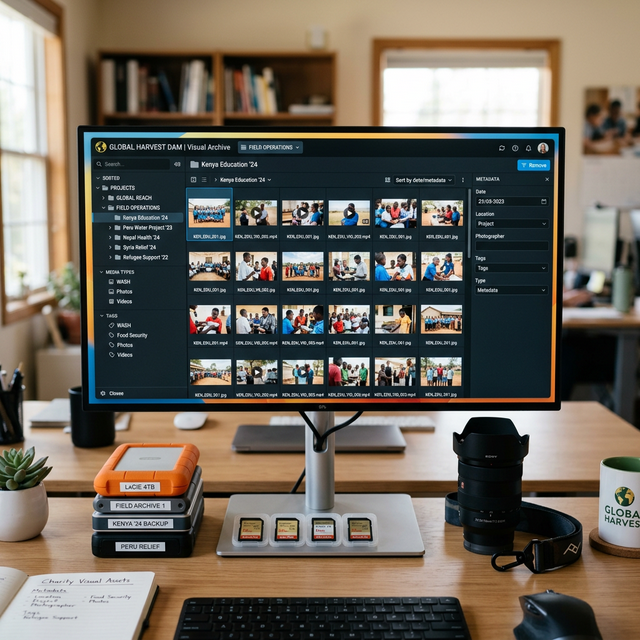
How to Manage a Visual Archive for a Successful Relief Campaign
During an urgent relief campaign, such as following an earthquake or flood, time is of the essence. Your marketing and communications teams need high-quality photos and videos from the field immediately to launch fundraising appeals, update major donors, and brief the press.
However, many NGOs lack a centralized system for their digital assets. If a social media manager has to email a field worker to ask for "that one photo from Tuesday," or if terabytes of footage are sitting on a single unbacked-up laptop, your campaign velocity is crippled. Here is how to manage a professional visual archive for your NGO.
1. Implement a Cloud-Based Digital Asset Management (DAM) System
Relying on Google Drive folders named "Final Edit 2" or scattered external hard drives is a recipe for disaster.
- Invest in a DAM: Use a dedicated Digital Asset Management (DAM) platform (like Bynder, Canto, or a meticulously structured Dropbox/OneDrive system).
- Centralized Access: The DAM acts as a single source of truth. Any authorized team member globally can log in and immediately download high-res assets without bottlenecking the field photographer.
2. Standardize Your Naming Conventions
The ability to search for an image is only as good as what the image is named. Before a photographer ever leaves for a field mission, establish a strict naming convention.
- Example Format:
YYYYMMDD_Country_ProjectName_PhotographerInitials_SequenceNumber - Thus:
20240315_Kenya_CleanWater_JD_0045.jpg - With this system, a comms director can search their drive for "Kenya CleanWater" and instantly pull up chronologically sorted, professional assets.
3. Metadata and Tagging is Non-Negotiable
You must embed extensive metadata into your files (or tag them within your DAM software) to maintain an organized archive over the years.
- Required Tags: Location, Date, Photographer Name, Project Type (e.g., WASH, Education, Emergency Relief).
- Consent Tags: This is crucial for NGOs. Every photo must have a tag indicating whether an informed consent release form has been signed by the subject, especially minors. If you lack a consent tag, that photo cannot legally or ethically be used in a fundraising ad.
4. Establish a Triage Workflow During Crises
When operating in an active disaster zone, internet is scarce, and photographers are shooting thousands of photos a day. You cannot wait weeks for the team to return home.
- The "Daily Top 10": Require your field media team to edit, caption, and compress their 10 best, most impactful photos at the end of every single day.
- They must transmit this small, lightweight batch via satellite or weak 3G connections back to headquarters so campaigns can be launched within 24 hours of a disaster striking.
5. Implement the 3-2-1 Backup Strategy
Footage is the intellectual property of your NGO and the historical record of your impact. It is incredibly valuable and must be protected.
- 3 Copies: Keep at least three copies of any important data.
- 2 Media Formats: Store the copies on two different storage media types (e.g., internal server + external hard drives).
- 1 Offsite: Keep one copy completely offsite (via cloud storage) in case of physical theft or disaster at your headquarters.
Setting up the technical infrastructure for your NGO's media team can seem daunting. Echo Lab provides consulting to overhaul and streamline NGO digital ecosystems. Contact our specialists to ensure your next campaign runs flawlessly.